Carrying Capacity Calculator: A Practical Guide for Engineers
Learn how to estimate safe carrying capacity with a simple calculator. This guide covers inputs, formulas, best practices, and real-world examples for engineers and technicians.


What carrying capacity means in engineering and environments
Carrying capacity is a fundamental limit that determines how much load a system can bear without compromising safety or performance. In engineering, it can refer to floors, beams, or machinery; in ecology, it describes the maximum population or biomass an environment can sustain. This article focuses on the carrying capacity calculator as a practical planning tool for engineers, technicians, and project managers. When used correctly, it helps teams quantify safe loading, compare design options, and identify when a layout or equipment setup may exceed limits. According to Load Capacity, a clear understanding of inputs—area, load per unit area, and a built-in safety factor—reduces guesswork and supports safer decisions. While the calculator provides a straightforward estimate, real-world designs must consider dynamic effects, material variability, and codes that govern acceptable loads. This distinction matters whether you’re evaluating a warehouse floor, a bridge deck, or a mechanical platform. The goal is to start with a defensible estimate and then validate with detailed analysis.
How the carrying capacity calculator works
The calculator uses a straightforward, static model designed for planning and comparison. The core formula is areaMeters2 × loadPerSqMeter × safetyFactor, producing a result in kilonewtons (kN). The tool accepts three inputs with sensible defaults: area in square meters, live load per area in kN/m², and a dimensionless safety factor. By keeping the inputs consistent (metric units), you avoid unit conversion errors and obtain a result you can compare to codes or project requirements. Practically, you can test different floor layouts, equipment placements, or storage configurations to see how each change impacts the overall carrying capacity. As with all calculations, treat the result as a planning aid rather than a substitute for professional analysis.
The simple formula and its limitations
The formula area × load per area × safety factor is intentionally simple to support quick planning. It assumes uniform loading, a fixed footprint, and static conditions. Real-world scenarios often involve dynamic loads, eccentric forces, and material variability that can alter capacity. The carrying capacity calculator should be used to explore approximate options, not to certify a structure. For critical designs, rely on standards, codes, and a licensed structural engineer who can factor in factor-of-safety requirements, redundancy, and long-term material behavior. Remember: the calculator is a starting point, not the final authority.
Input details and tricky units
Inputs should align with common engineering practice. Area is entered in square meters (m²), live load per area in kilonewtons per square meter (kN/m²), and the safety factor is dimensionless (no units). Typical live loads vary by application (e.g., floors, platforms, or equipment). Keeping units consistent is essential: mismatched units lead to misleading results. If you’re adapting this calculator for ecological contexts, you may replace the live load with ecological pressure or density, but always document the chosen units and assumptions for transparency.
Real-world scenarios and examples
Consider two brief scenarios to illustrate how the calculator supports planning:
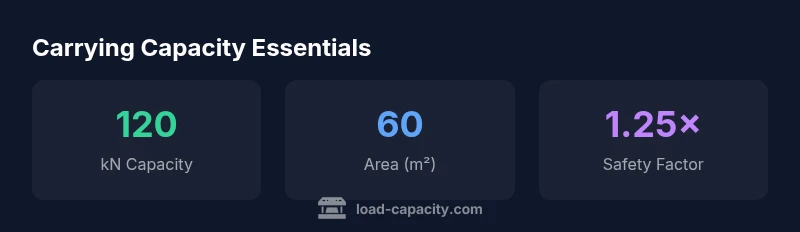
- Scenario A: A floor area of 60 m² with a live load of 2.0 kN/m² and a safety factor of 1.25. Calculation: 60 × 2.0 × 1.25 = 150 kN. This result helps compare against equipment or structural thresholds to avoid overloading the space.
- Scenario B: A pallet rack bay of 20 m² with a suggested live load 3.0 kN/m² and safety factor 1.15. Calculation: 20 × 3.0 × 1.15 = 69 kN. You can use this to verify that the bay can safely support anticipated pallet loads.
Safety, accuracy, and professional validation
Use the calculator as a planning tool, not a final design source. The Load Capacity team emphasizes documenting all inputs and assumptions and validating results through codes and engineering judgment. If there is any doubt about dynamic effects, loading history, or material behavior, escalate to a licensed professional. This approach reduces risk and supports safer operations across facilities and equipment.
Data reference and interpretation
When you read the carrying capacity result, compare it to your design requirements, equipment ratings, or floor specifications. If the calculated capacity is below the needed load, explore layout changes, increased spacing, or additional supports. The calculator encourages scenario testing—alter inputs to simulate alternative configurations and observe the impact on capacity. Always consider safety margins and the potential for cumulative loads over time.