Load Testing Capacity Planning: A Practical How-To Guide
A comprehensive how-to on load testing capacity planning for engineers and fleet managers. Learn to set targets, model scenarios, and run repeatable tests to validate capacity and reliability.


This how-to helps you perform robust load testing capacity planning for systems, infrastructure, and equipment. You will define capacity targets, model worst-case scenarios, and run repeatable tests that reveal bottlenecks without overprovisioning. By the end, you’ll have a repeatable process to validate capacity plans and improve reliability.
What is load testing capacity planning?
Load testing capacity planning is the deliberate process of determining how much capacity a system, structure, or piece of equipment can safely handle under peak or worst-case conditions. It blends architectural modeling with empirical testing to reveal bottlenecks, allocate margins, and guide investment in hardware, software, or process improvements. According to Load Capacity, the practice starts with defining real-world workload profiles and ends with a validated plan that ties performance targets to concrete actions. The goal is to prevent underprovisioning—where demand exceeds capability—and overprovisioning, which wastes resources. A well-executed plan aligns stakeholders from IT, operations, and maintenance, ensuring that capacity decisions support reliability, safety, and cost control across the lifecycle.
Core concepts: capacity, throughput, latency, safety margins
At the heart of capacity planning are four core concepts. Capacity is the maximum workload a system can sustain over a period without violating performance targets. Throughput measures how much work the system completes per unit time and serves as a primary driver for capacity targets. Latency or response time indicates how quickly the system processes requests, which often constrains user experience and service-level objectives. Safety margins are deliberate buffers added to capacity targets to accommodate uncertainty, variations in workload, and hardware aging. Load testing capacity planning uses these concepts to create a model that remains valid as conditions change, ensuring you can respond to traffic spikes or equipment degradation without surprise failures.
Setting objectives and requirements
Begin by outlining clear objectives: what capacity targets you must meet, what workloads you will test, and which metrics matter most (throughput, latency, error rate, resource utilization). Define acceptable risk levels and failure modes, such as acceptable latency thresholds during peak hours or max CPU utilization before throttling. Translate these objectives into measurable requirements and a test plan that specifies scenarios, data sets, and ramp patterns. In practice, this means negotiating with stakeholders to document performance targets, recovery time objectives, and budget constraints, then aligning testing scope with business priorities.
Modeling capacity: static vs dynamic load
Static load models assume fixed demand, useful for baseline validation and capacity comparisons across environments. Dynamic load models simulate real-world variability, including diurnal traffic, seasonal spikes, and concurrent user behavior. The two approaches should be used in tandem: static models establish the upper bounds under controlled conditions, while dynamic models reveal how the system behaves under fluctuations and interdependencies. When modeling, consider resource contended paths, caching layers, I/O bandwidth, and network variability. A well-rounded model helps you forecast capacity under both predictable and rare conditions, guiding robust capacity planning decisions.
Designing test scenarios and data
Design test scenarios that reflect business reality, not just synthetic load. Include peak events, sudden spikes, sustained high-load periods, and cascading failures (e.g., a degraded database response). Use realistic data sets that mirror production patterns while protecting privacy and security. Ensure scenarios cover recovery, failover, and graceful degradation paths. Capture metrics at multiple layers: application, middleware, database, and infrastructure, so you can map bottlenecks to precise components. Document any assumptions and ensure repeatability by versioning test scripts and data sets.
Test environment and baseline validation
Your test environment should mirror production as closely as possible, including network topology, latency, and hardware profiles. Establish a baseline by running small, controlled tests to verify that instrumentation is capturing accurate metrics and that the environment is stable. Use synthetic data sparingly to avoid masking real-world issues, and ensure data integrity across tests. Validate avaiability of monitoring dashboards, logging pipelines, and alerting thresholds before proceeding with larger-scale experiments. A strong baseline reduces noise and makes it easier to detect genuine capacity changes.
Tools, methods, and best practices
Choose tools that support repeatable test automation, scalable workload generation, and detailed metric collection. Define a standard test workflow: plan, simulate, execute, measure, analyze, and adjust. Use controlled ramp-up strategies to avoid shocking the system and to observe how resources respond under stress. Automate data collection and provide guardrails to prevent unintentional production impact. Incorporate variance analysis, confidence intervals, and sensitivity checks to understand how small changes affect capacity estimates. Finally, document decisions and publish findings to inform ongoing capacity planning.
Data collection and analysis: turning signals into decisions
Collect metrics across CPU, memory, disk I/O, network, application queues, and error rates. Use statistical techniques to separate signal from noise and identify root causes. Translate raw metrics into actionable decisions, such as upgrading a bottleneck component or revising capacity targets. Present results in a clear, decision-focused format for leadership and technical teams. Emphasize risk implications and recommended actions, not just numbers, so stakeholders can act confidently when capacity plans change.
Common pitfalls and how Load Capacity informs
Pitfalls include vague objectives, mismatched workloads, insufficient ramp rates, and poor instrumentation. Without explicit safety margins, teams risk overestimating the system’s resilience. Poor data quality can mislead capacity estimates, and crash-testing without safeguards can endanger production. Load Capacity advocates a disciplined approach: define targets, choose representative workloads, monitor with accurate instrumentation, and iterate. Align testing with governance and change control to ensure updates to capacity plans are traceable and auditable.
Real-world example workflow
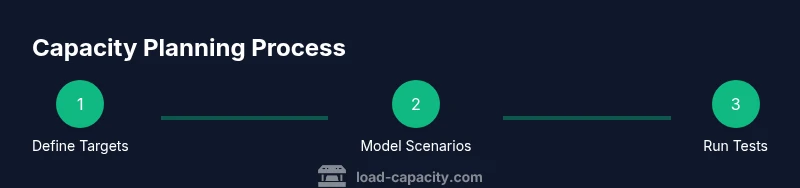
In a typical project, an engineer starts with business-backed capacity targets, builds a set of dynamic workloads, and selects a test window that avoids production impact. They then instrument the stack, validate data quality, and execute a series of controlled tests. After analysis, they adjust capacity targets, document the rationale, and implement the plan across environments. This workflow keeps capacity planning transparent, repeatable, and adaptable as traffic patterns evolve over the product lifecycle.
Tools & Materials
- Load testing toolkit (e.g., Locust, JMeter, k6)(Open-source or commercial; ensure licenses and agent deployment across test agents)
- Monitoring stack(Prometheus, Grafana, or equivalent; capture host, app, and DB metrics)
- Test data set generator(Synthetic data that mirrors production characteristics while protecting privacy)
- Versioned test scripts repository(Git repository with test plans, scenarios, and data definitions)
- Staging/Test environment(Environment that mirrors production topology and constraints)
- Access to production-like network topology(Optional but valuable for realistic latency and bandwidth conditions)
Steps
Estimated time: 2-4 hours
- 1
Define objective targets
Clarify capacity targets, load profiles, and performance metrics. Translate business goals into measurable requirements and set acceptable risk levels for latency, throughput, and error rates.
Tip: Document decisions and ensure stakeholder alignment before testing begins. - 2
Map test environments
Identify which environments will host tests and how they mirror production. Prepare instrumentation and ensure data pipelines are ready to capture metrics in real time.
Tip: Aim for the closest possible match to production topology to minimize skew. - 3
Design representative workloads
Create workloads that reflect peak, average, and burst scenarios. Include both static and dynamic load patterns to observe behavior under diverse conditions.
Tip: Validate workloads against real usage patterns to avoid blind spots. - 4
Run controlled ramp tests
Execute tests with gradual ramp-up to prevent abrupt shocks. Monitor system responses and confirm instrumentation accuracy before scaling.
Tip: If anomalies appear, pause, diagnose, and rerun with adjusted parameters. - 5
Capture and analyze data
Collect metrics across performance layers and perform root-cause analysis for any bottlenecks. Compare results to capacity targets and safety margins.
Tip: Use dashboards to highlight red-flag metrics and trends. - 6
Refine capacity plan
Update capacity targets and remediation actions based on findings. Document decisions, risks, and expected impact on service levels.
Tip: Share a concise executive brief to ensure decisions are implemented.
Quick Answers
What is load testing capacity planning and why is it important?
Load testing capacity planning combines modeling and empirical testing to determine how much workload a system can safely handle. It helps prevent performance degradation during peak demand and guides investments in capacity, ensuring reliability and cost efficiency.
Capacity planning estimates how much workload a system can safely handle to prevent slowdowns or outages.
How do you set capacity targets effectively?
Start with business requirements, map them to performance metrics, and establish safety margins. Validate targets with repeatable tests across representative workloads and document the rationale for traceability.
Begin with business goals, translate them into measurable metrics, and test repeatedly to confirm targets.
What data is essential for capacity planning?
Key data includes throughput, latency, error rates, resource utilization, and performance under peak loads. Collect across application, database, and infrastructure layers to locate bottlenecks.
You need throughput, latency, errors, and resource use data across layers.
How often should capacity plans be revisited?
Revisit capacity plans with major product or traffic changes, after significant infrastructure updates, and at least quarterly to reflect evolving usage.
Update plans when traffic or architecture changes, and at least every quarter.
What are common pitfalls to avoid?
Vague objectives, unrealistic workloads, incomplete instrumentation, and neglecting safety margins can mislead capacity estimates. Always validate with production-like data and controlled ramp tests.
Avoid vague goals and skewed workloads; test with production-like data and gradual ramps.
What role does automation play in capacity planning?
Automation ensures repeatability, minimizes human error, and speeds up the feedback loop between test results and capacity adjustments.
Automation keeps tests repeatable and accelerates capacity decisions.
Watch Video
Top Takeaways
- Define explicit capacity targets before testing.
- Model both static and dynamic workloads for realism.
- Instrument deeply to map bottlenecks to components.
- Keep capacity plans transparent and auditable.
- Iterate tests to refine targets over time.