Test Server Load Capacity: A Practical How-To Guide
Learn how to safely test server load capacity with staged ramp tests, measure key metrics, and translate results into concrete capacity targets. This guide covers planning, tooling, and best practices for reliable capacity planning.


By the end you will be able to safely test a server’s load capacity, identify bottlenecks, and set capacity targets. You’ll use a staging environment, a baseline performance profile, and a structured ramp-up plan with tools like k6, Locust, or JMeter. Ensure authorization, a rollback plan, and defined success criteria before you start.
Why test server load capacity matters
In modern web and API environments, capacity issues manifest as slower responses and occasional outages under peak demand. Testing load capacity helps you understand how a system behaves when traffic nears its limits and where bottlenecks reside. According to Load Capacity, a structured approach reduces risk, clarifies required hardware, and aligns engineering with business goals. The aim is not to maximize traffic today, but to define a safe, scalable envelope. By simulating realistic user patterns, you can observe how CPU, memory, disk I/O, network bandwidth, and database contention interact under pressure. The result is a documented performance budget you can enforce across sprints and deployments. This section connects theory to practice with concrete methods you can apply in a staging environment before touching production. It also outlines why performance budgets matter and how to align testing with business objectives for predictable releases.
Understanding the lifecycle of load testing helps teams avoid common missteps and ensures outcomes translate into actionable improvements. You will learn how to structure experiments, interpret data, and implement changes that provide measurable capacity gains while minimizing risk to live services.
Defining measurable targets and baselines
Before you start, codify what “success” looks like. Establish throughput targets (requests per second), latency ceilings (p95 or p99 percentiles), error-rate limits, and resource-utilization thresholds for CPU, memory, and I/O. Baseline data from a quiet period helps you compare against realistic conditions; keep a baseline from at least one week of representative traffic. If you don’t have production-like data, use synthetic traffic that mirrors your expected mix (reads vs writes, cached vs uncached data). Document your acceptance criteria and the minimum acceptable margins between target and observed metrics. This clarity ensures the test results translate into actionable capacity decisions rather than inconclusive numbers. Throughout the process, maintain a single source of truth for targets so every team member can align on what constitutes a pass or a fail. Load Capacity emphasizes that baselines are live artifacts; update them as your stack evolves and as workloads shift with product features and peak seasons.
Recommended tools for load testing
Popular open-source and commercial tools each offer strengths. k6 is script-friendly for modern developers, Locust emphasizes Python-based scenarios, and Apache JMeter provides a long track record and broad protocol support. Choose at least two tools to confirm results and guard against tool-specific biases. Complement your test with robust monitoring: Prometheus/Grafana, Datadog, or your preferred APM. Plan test data carefully to avoid caching anomalies and to simulate realistic user journeys. Finally, ensure you have consent and a rollback plan in case you need to halt tests. Using multiple tools helps validate results and reduces the risk of false positives or missing bottlenecks. Load Capacity recommends keeping your tooling configuration versioned alongside your test plans for reproducibility.
Designing a safe test plan: staging vs production
Never conduct high-intensity load tests on production without explicit approvals. A dedicated staging or pre-production environment that mirrors production hardware, network topology, and software versions is essential. Start with a quiet baseline, then execute small, reversible steps to validate monitoring, alerts, and capacity targets. Implement safeguards: rate-limits, dials, and automatic test stop rules if error rates or latency exceed thresholds. Keep a change log of every test run and communicate scheduled windows to stakeholders. Finally, document how you’ll rollback if performance degrades unexpectedly. Load Capacity stresses the importance of governance and change control for load testing, ensuring that capabilities grow safely alongside product demands.
Step-by-step ramp-up methodology
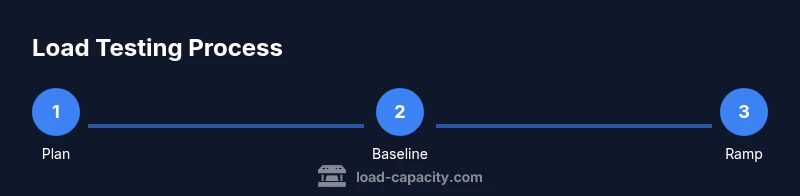
Start with a plan that defines five ramp levels (e.g., 25%, 50%, 75%, 100%, and 150% of target load). At each level, maintain a steady state for a minimum interval to gather stable metrics. Between levels, pause to collect data, assess anomalies, and adjust test scripts if needed. Ensure that you warm up caches and establish a consistent warm-up period to avoid cold-start distortions. Use gradual increases to prevent cascading failures and to observe how services scale horizontally and vertically. Track resource saturation points and correlate them with queue depth, GC pauses, and database contention. Document how each ramp affects service level objectives (SLOs) and what remediations are required to meet them.
Interpreting results: metrics and thresholds
Look beyond averages. Key signals include p95/p99 latency, error rate, and saturation of CPU, memory, and I/O. Compare observed figures to your targets and budgets. Identify bottlenecks: compute, storage I/O, network bandwidth, or microservice coordination. Use dashboards to visualize correlations between traffic, response times, and resource usage, then translate these into capacity targets—e.g., the maximum sustainable requests per second or needed pod count. Document recommended optimizations and a plan to validate improvements in a follow-up test. Keep an audit trail of decisions and ensure all stakeholders understand the implications for release planning.
Common pitfalls and anti-patterns
Relying on a single metric creates a false sense of safety. Skipping warm-up periods distorts results; allow caches to fill and GC cycles to complete. Testing only at peak traffic neglects gradual degradation patterns. Running tests against production without safeguards risks outages and data loss. Finally, ignoring monitoring data or failing to publish a formal capacity plan leaves teams unprepared for real-world conditions. Load Capacity also warns against comparing different systems without normalization, which can lead to misinterpretation of improvements.
Translating results into capacity targets and future-proofing
Convert test outcomes into explicit capacity targets: needed CPU cores, memory, IOPS, and network bandwidth. Use the results to plan hardware procurement, autoscaling policies, and deployment strategies for peak seasons. Build a continuous testing habit: run quarterly tests or after major updates, and incorporate live traffic data as it becomes available. Finally, document a living capacity roadmap that ties performance budgets to product roadmaps and business goals. Treat capacity as a dynamic attribute of your system, not a one-off milestone.
Tools & Materials
- Staging environment that mirrors production(Exact hardware, network, and software stack (as close as possible).)
- Load testing tools(k6, Locust, JMeter or equivalent.)
- Performance monitoring & APM(Prometheus/Grafana or your chosen solution.)
- Baseline performance data(Collect from a representative period prior to testing.)
- Test data sets and traffic profiles(Realistic user journeys and request mixes.)
- Rollback plan and incident response(Clear steps to stop tests and revert changes.)
- Authorization and change-management(Formal approvals before testing, especially in restricted environments.)
Steps
Estimated time: 3-6 hours
- 1
Prepare the environment
Set up a staging environment that mirrors production as closely as possible. Validate network topology, software versions, and database configurations. Confirm monitoring is in place and that you have authorization to run tests.
Tip: Document the exact hardware and software configuration used in this run for reproducibility. - 2
Define targets and baselines
Agree on throughput, latency, and error-rate targets based on historical data. Capture a baseline under normal load to compare against during ramp tests. Ensure everyone knows what constitutes a pass or fail.
Tip: Record target values in a shared doc and reference them in all test reports. - 3
Create realistic traffic profiles
Model real user behavior with mixes of reads/writes, cache hits/misses, and authentication flows. Include peak patterns and occasional bursts to simulate real-world usage. Ensure sensitive data is sanitized for testing.
Tip: Keep traffic seeds consistent across runs to improve comparability. - 4
Baseline a steady-state run
Run a short baseline at low load to confirm the system is stable. Observe response times, error rates, and resource utilization without extra pressure. Adjust test scripts if anomalies appear.
Tip: Use a warm-up period before collecting final baseline metrics. - 5
Plan ramp-up levels
Define incremental load steps (e.g., 25%, 50%, 75%, 100%, 150%). Build in pauses between steps to collect data and identify when performance budgets are breached. Ensure you can safely stop the test if metrics deteriorate.
Tip: Choose ramp intervals that reflect expected production traffic spikes. - 6
Execute incremental loads
Apply load according to your ramp plan, keeping steady-state windows long enough to collect stable metrics. Monitor for early signs of bottlenecks and adjust as needed. Record every deviation for later analysis.
Tip: Automate data collection and alerting to avoid missing critical changes. - 7
Analyze results and identify bottlenecks
Review latency distribution, error rates, and resource saturation. Map bottlenecks to components (CPU, I/O, network, or database). Validate findings with technical stakeholders.
Tip: Correlate performance with infrastructure metrics to pinpoint root causes. - 8
Document capacity targets and plan improvements
Translate test outcomes into concrete capacity targets and action plans. Include autoscaling rules, hardware upgrades, or software optimizations. Schedule follow-up validation tests to confirm improvements.
Tip: Create a living capacity plan that evolves with product changes.
Quick Answers
What is the difference between load testing and capacity planning?
Load testing measures system performance under simulated demand to observe behavior and bottlenecks. Capacity planning uses those results to size resources (hardware, autoscaling, and architectures) for expected usage and growth, ensuring service levels are met over time.
Load testing measures how a system performs under simulated demand, while capacity planning uses those results to size resources for future needs.
Which metrics matter most when testing server load?
Throughput, latency (p95/p99), error rate, and resource utilization (CPU, memory, disk I/O, network). Monitoring these together reveals bottlenecks and capacity gaps.
Key metrics are throughput, latency, error rate, and resource use; they reveal bottlenecks and gaps.
Is it safe to test on production?
Only with formal approvals and safeguards. Prefer staging that mirrors production, with rollback plans and clear go/no-go criteria.
Only with approvals and safeguards; staging is preferred over production for safety.
How do I determine when enough capacity is found?
Look for a stable throughput plateau or diminishing returns, while latency remains within targets and error rates stay low. Record the point at which the system meets or exceeds targets under load.
Find the point where throughput levels off and latency remains within targets without errors.
What are common mistakes beginners make?
Skipping warm-up, neglecting baseline data, relying on averages, testing only at peak load, and ignoring monitoring or rollback plans. Always publish a formal capacity plan after tests.
Common mistakes include skipping warm-ups and ignoring monitoring; publish a capacity plan after tests.
Watch Video
Top Takeaways
- Plan targets before you test and stick to them.
- Use staging to avoid production risk and validate autoscaling.
- Monitor end-to-end metrics, not just averages.
- Document results and translate into concrete capacity actions.
- Iterate capacity plans as workloads evolve.