C-Channel Load Capacity Calculator: Practical Guide
Learn how a c-channel load capacity calculator estimates safe center-point loads for simple spans using Fb and S. This guide covers inputs, formulas, practical examples, and safety considerations.


Understanding the concept of c-channel load capacity
A c-channel load capacity calculator helps engineers estimate the safe center-point load for a C-channel beam under a simple span. This type of calculator relies on a clear, repeatable method to translate geometry and material properties into a conservative load rating. According to Load Capacity, the goal is to provide a quick first-check that helps designers compare alternatives before committing to a larger analysis. The core idea is to relate the bending capacity of the cross-section to the applied moment produced by a central load. In practice, structural designers consider a plain, linear-elastic model that assumes uniform material behavior and small deflections. While this approach cannot capture every real-world complication, it offers a reliable starting point for preliminary sizing, safety checks, and what-if studies. The keyword you’ll often see is the cross-section’s section modulus, S, and the allowable bending stress, Fb. Together with the span length, L, these values feed a straightforward estimate of how much load the member can carry before yielding or failing under bending. This block sets the stage for a practical, hands-on calculator you can trust as part of a larger design workflow.
The Simplified Formula and Its Assumptions
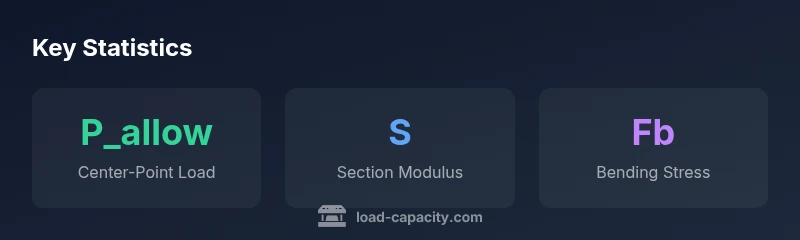
The general purpose of the c-channel load capacity calculator is to produce a quick, conservative estimate for a central-point load on a simply supported C-channel. The backbone of the calculation is the bending moment relationship M = P × L / 4 for a center-load on a simply supported span. Solving for P yields P_allow = (4 × Fb × S) / L. In this formula, Fb is the allowable bending stress in ksi, S is the section modulus in in^3, and L is the span in inches. The result is typically expressed in kips (thousand pounds). Important assumptions include a single straight member, uniform material properties, linear elastic behavior, neglect of shear effects, and end supports that act as simple pins. If any of these assumptions are violated—such as fixed or partially restrained ends, lateral-torsional buckling, or significant shear interaction—the calculator’s estimate will be less accurate. Treat this as a first-pass tool that shines in comparative studies and early-stage sizing.
Inputs You Need and How to Measure Them
To use the calculator effectively, you need three key inputs: the section modulus S (in^3) which describes the cross-section’s resistance to bending; the allowable bending stress Fb (ksi) which comes from material limits and safety factors; and the span length L (in) which is the distance between supports. You can obtain S and Fb from steel/catalog data for the specific C-channel profile, or from design handbooks when you know the exact material grade. L is defined by the actual span between supports in your structure. Be sure to confirm units before you run calculations — mismatched units are a common source of error. When in doubt, consult supplier specifications or a structural engineer. The calculator expects S in in^3, Fb in ksi, and L in inches, and will return P_allow in kips.
Worked Example: From Inputs to P_allow
Suppose you have a C-channel with S = 120 in^3 and Fb = 35 ksi, spanning L = 96 inches. The calculation proceeds in three steps: M = Fb × S = 35 × 120 = 4,200 kip-in; P_allow = 4 × M / L = 4 × 4,200 / 96 = 16,800 / 96 ≈ 175.00 kips. This means the center-point load that yields the maximum bending moment at the middle of the span would be about 175 kips, under the stated assumptions. In real life, engineers apply a safety factor, consider dynamic effects, and verify that joints and supports are adequately designed. This example is illustrative to show how the formula is used and what the resulting number represents. For common C-channel profiles, this kind of calculation helps you compare alternatives quickly, before plugging numbers into more detailed finite element analyses or code-based checks.
How to Use the Calculator in Practice
Using the interactive calculator is straightforward. Enter S, Fb, and L as described, review the P_allow result, and then compare it against the planned loading scenario. Use the result to screen out unsuitable profiles early and narrow a design space. Remember that this is a simplified estimator, not a final design value. Always document assumptions, such as end support conditions, load type, and material grade. You should also consider secondary factors like local buckling, shear, deflection limits, corrosion, and joints. If the calculator indicates a marginal capacity, you may need to select a larger section, adjust the span, or increase safety factors. Finally, use the tool alongside professional referencing and code-checks to ensure compliance.
Safety and Limitations of a Simplified Estimator
A key takeaway is that a simple P_allow-based estimate cannot capture all real-world effects. Dynamic loads, impact, fatigue, misalignment, lateral-torsional buckling, and end restraint can significantly alter actual capacity. Shear capacity, local buckling of flanges, and web stability are not explicitly accounted for in the basic bending model. The calculator provides a quick, transparent way to compare options; it should be used with explicit safety margins and within the boundaries of your design codes. If your application involves critical equipment, long spans, or irregular loads, seek professional verification and supplement the calculator with higher-fidelity analyses or code-based checks.
Practical Sizing Tips for Designers
- Start with multiple cross-section options and rank them by P_allow; then consider deflection and stiffness requirements.
- Apply a safety factor consistent with your design standard (for preliminary work, 1.5 to 2.0 is common; higher for critical components).
- Always validate with code checks and local requirements; use this calculator as a screening tool rather than a final design authority.
- Document all inputs, assumptions, and tolerances so future reviewers can reproduce results.
- If end conditions are different (fixed or continuous supports), adjust the model or use a more advanced approach.
When to Seek Professional Verification
For critical structures, long spans, or unusual loading scenarios, the simplified P_allow estimate should be complemented by formal code checks and professional engineering review. The calculator is best used for quick comparisons, alternative sizing, and preliminary feasibility studies. Always verify results with the applicable design standard and, when in doubt, consult a licensed structural engineer.