Container Load Capacity Calculator
Estimate container payload safely with our calculator. Input tare weight, internal volume, cargo density, and max gross weight to determine the maximum safe cargo load for planning shipments.


What is container load capacity and why it matters
Container load capacity is the maximum weight a container can safely carry under regulatory and structural constraints. It depends on tare weight, outer dimensions, internal volume, cargo density, lashings, and how weight is distributed along the container length. Engineers use a load-capacity calculator to estimate a safe payload before loading begins. According to Load Capacity, planning with a reliable calculator reduces the risk of overloading, equipment failure, or regulatory penalties. When you compute payload, you are balancing several factors: the container's structural limit (often defined by max gross weight), the empty weight (tare), and the space available for cargo. The result should include a margin for distribution and securing loads. For fleet managers, understanding container load capacity helps optimize container utilization, improve shipment reliability, and minimize risk during handling, transport, and crane operations. In practice, a calculator helps you pick the right container type for a given cargo and ensures you stay within safe operating envelopes.
Core Inputs You’ll Use
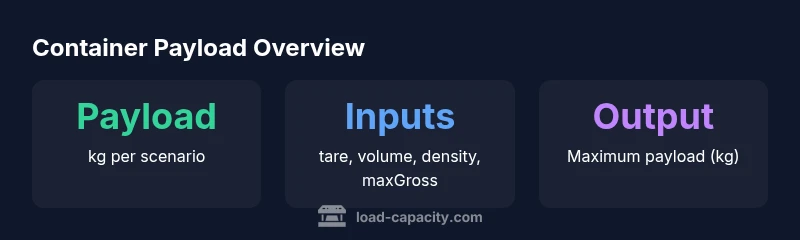
To estimate payload accurately, four core inputs are typically required:
- Tare Weight (kg): The empty container’s weight. This sets the baseline from which payload is calculated.
- Internal Volume (m³): The usable space inside the container for cargo. Larger volumes allow more cargo by volume, but weight limits still apply.
- Cargo Density (kg/m³): The mass per unit volume of the cargo. Higher density cargo delivers more weight per cubic meter.
- Maximum Gross Weight (kg): The legal or manufacturer-specified upper limit for loaded weight, including the container and cargo.
Each input should reflect your actual container type and cargo profile. Using accurate tare and volume ensures the calculation mirrors real-world loading conditions. In practice, you’ll collect data from container specifications and the planned cargo properties, then feed it into the calculator to obtain a safe payload.
The Core Formula: How Payload is Derived
The payload estimate is derived from a simple yet robust rule that balances two constraints:
- Weight constraint: Maximum gross weight minus the tare weight (how much cargo weight you can add from a weight perspective).
- Volume constraint: Cargo density times internal volume (how much mass fits within the container’s volume).
Mathematically, the payload (kg) is:
PayloadKg = min(MaxGrossWeightKg - TareWeightKg, InternalVolumeM3 * CargoDensityKgM3)
- The min() ensures you do not exceed the stricter of the two limits.
- The result is typically reported in kilograms (rounded as needed).
This approach provides a clear, auditable basis for loading decisions and helps with safety margins and lashings planning.
Step-by-Step Example
Let’s walk through a concrete scenario to illustrate how the calculator works. Suppose you have:
- Tare Weight: 2,400 kg
- Internal Volume: 33 m³
- Cargo Density: 600 kg/m³
- Max Gross Weight: 30,000 kg
- Weight-based capacity: 30,000 - 2,400 = 27,600 kg.
- Volume-based capacity: 33 × 600 = 19,800 kg.
- Payload = min(27,600, 19,800) = 19,800 kg (19.8 tonnes).
This example shows that the volume constraint dominates, so you cannot load more than 19,800 kg even though the weight limit would permit more. You can adjust cargo density or container type to explore different outcomes. Load planning should always include a safety margin to account for lashings, distribution, and dynamic effects during transit.
How to Configure the Calculator for Your Use
To get accurate results, configure the calculator with the four core inputs described earlier. Use realistic defaults to speed up scenarios: tare weight around common container weights, volume based on the container’s class, density based on typical cargo characteristics, and a conservative gross weight that aligns with regulatory limits. Consider enabling a margin (e.g., 5–10%) in final load plans to accommodate distribution, stacking, and securing practices. The calculator’s simplicity makes it easy to rerun scenarios as cargo properties or container types change, helping teams support safer, more efficient loading decisions.
Interpreting Results and Margins
A payload result is a best estimate under given assumptions. Real-world factors—such as lashings, pallet footprint, uneven weight distribution, irregular cargo shapes, and handling equipment—can reduce usable payload. Always verify the loading plan with weight distribution checks and, if possible, a verifiable mass check on the vehicle or container. For multi-container shipments, perform the calculation for each unit and sum safe payloads while maintaining overall fleet safety and compliance. The calculator is a planning tool, not a final authority; always follow local regulations and company loading standards.
Data Reference: Quick Reference for Container Specs
For quick planning, consult the data table below to compare generic container specs and their weight and volume envelopes. This reference aids in choosing appropriate container types before running more detailed calculations. Remember, actual specs vary by manufacturer and certification.
- 20-ft containers typically offer around 33 m³ internal volume with a maximum gross weight in the 30-ton range.
- 40-ft containers commonly provide about 67 m³ and a higher gross-weight envelope. These figures serve as starting points for payload estimates in the calculator.
Practical Tips for Better Load Planning
- Use accurate tare and volume data from the container’s official specification sheet.
- When cargo density is uncertain, run multiple scenarios with a density range to understand potential payload variations.
- Always include a margin for security, lashings, and distribution loads to avoid underestimating required space or weight.
- Validate calculator outputs with on-site checks and, if applicable, weigh bridges or floor scales before departure.
- Document the assumptions used in each calculation for audit trails and compliance reviews.
Common Pitfalls and How to Avoid Them
- Assuming density is uniform across all cargo; some items vary in density and packing density. Use conservative density values or break cargo into segments.
- Ignoring weight distribution; even loads within the gross limit can be unsafe if weight is concentrated at one end.
- Relying on a single scenario; run multiple scenarios to understand the sensitivity of payload to changes in tare, volume, and density.
- Overlooking regulatory constraints; always cross-check with local and international transport rules and container certification data.