How to Calculate Load Capacity of a Platform
Learn a practical method to estimate platform load capacity, with a simple calculator, step-by-step math, and safety-focused tips for reliable preliminary design.


This calculator estimates a platform’s allowable load by multiplying its surface area by the live load per square meter and then dividing by a safety factor. It yields a single value in kN representing the maximum safe load for the given dimensions. The method is straightforward, transparent, and suitable for preliminary assessments.
What the calculation represents and scope
Understanding how to calculate load capacity of a platform starts with a clear scope: it provides a quick, conservative estimate of how much static load a platform can support under defined conditions. For engineers, technicians, and students, this helps in early design decisions and safety planning. According to Load Capacity, a disciplined approach combines geometry (area) with a practical live-load assumption and a safety factor to yield a usable total. The keyword here is balance: you want a realistic value, but you must account for uncertainties, wear, and dynamic effects. In everyday terms, the method translates a size and a load rate into a single, comparable capacity value in kilonewtons (
Key concepts and terminology
- Platform capacity: the maximum load the platform can safely carry under specified conditions.
- Live load vs dead load: live load is dynamic/use-based; dead load is the platform’s own weight.
- Safety factor: a multiplier that accounts for uncertainties, wear, and operational variability.
- Unit consistency: keep area in square meters and loads in
Why this matters for safety and compliance
A conservative approach to platform load capacity helps prevent structural distress, premature wear, and potential safety incidents. By using a simple, auditable calculation, teams can compare different platform sizes and configurations quickly, flagging designs that may require reinforcement or changes in usage. Load Capacity’s guidance emphasizes that this method is a starting point for design reviews, not a replacement for formal structural analysis or code-compliant design processes.
What drives the numbers in the calculation
The core inputs—platform area, live load per area, and the safety factor—capture geometry, expected usage, and risk tolerance. The live load per area represents the weight a platform is expected to bear during normal operation, while the safety factor cushions against measurement errors, uneven loading, and material variability. This approach assumes static loading; dynamic or impact loads should be evaluated with deeper analysis and possibly more advanced models. By understanding these drivers, you can adjust inputs to reflect real-world scenarios and compare outcomes across designs.
Reference data for quick checks and planner discussions
| Parameter | Typical Value | Notes |
|---|---|---|
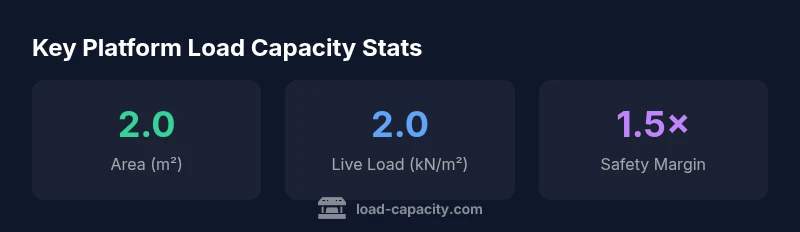
| Platform Area | 2.00 | Area of the evaluated surface in m² |
| Live Load (kN/m²) | 2.00 | Design live load per unit area |
| Safety Factor | 1.50 | Conservative safety margin |
| Result | 2.67 | Allowable total load in kN (approx) |
Estimate safe platform loading with a simple 3-input calculator.
Calculates allowable platform load by area times live load per area divided by safety factor.
Estimates are for initial assessment. Use codes and professional engineering validation for final design.
Quick Answers
What is the difference between live load and dead load in this context?
Live load represents the dynamic or usable weight expected on the platform during operation. Dead load is the platform’s own weight. This calculator uses live load; for final design, both should be analyzed and code requirements followed.
Live load is the weight you expect during use, while dead load is the structure’s own weight. This tool focuses on live load for quick checks.
Can I use this calculator for dynamic or impact loads?
The calculator provides static, preliminary estimates. Dynamic or impact loads require more advanced analysis, sometimes with time-based loading and stiffness considerations.
This tool gives static estimates. For dynamic loads, get a detailed analysis.
Why is a safety factor needed?
A safety factor accounts for uncertainties in materials, construction, and loading conditions. It ensures the calculated capacity remains conservative under real-world variability.
Safety factors account for uncertainties so the calculated capacity stays conservative.
What units does the calculator use and output?
Inputs use metric units (m² and kN/m²). The output is in kilonewtons (kN), which you can convert to other units if needed.
Inputs are metric, and the result is shown in kN.
How should I verify the results?
Cross-check with applicable design codes, a structural analysis, and professional judgment. Use the calculator as a quick check, not a stand-alone design.
Verify with design codes and a structural engineer.
Top Takeaways
- Input platform area, live load, and safety factor accurately
- Apply safety factor to obtain allowable load
- Result is in kN; convert as needed for planning
- Use for quick checks, not final design
- Validate results with detailed structural analysis